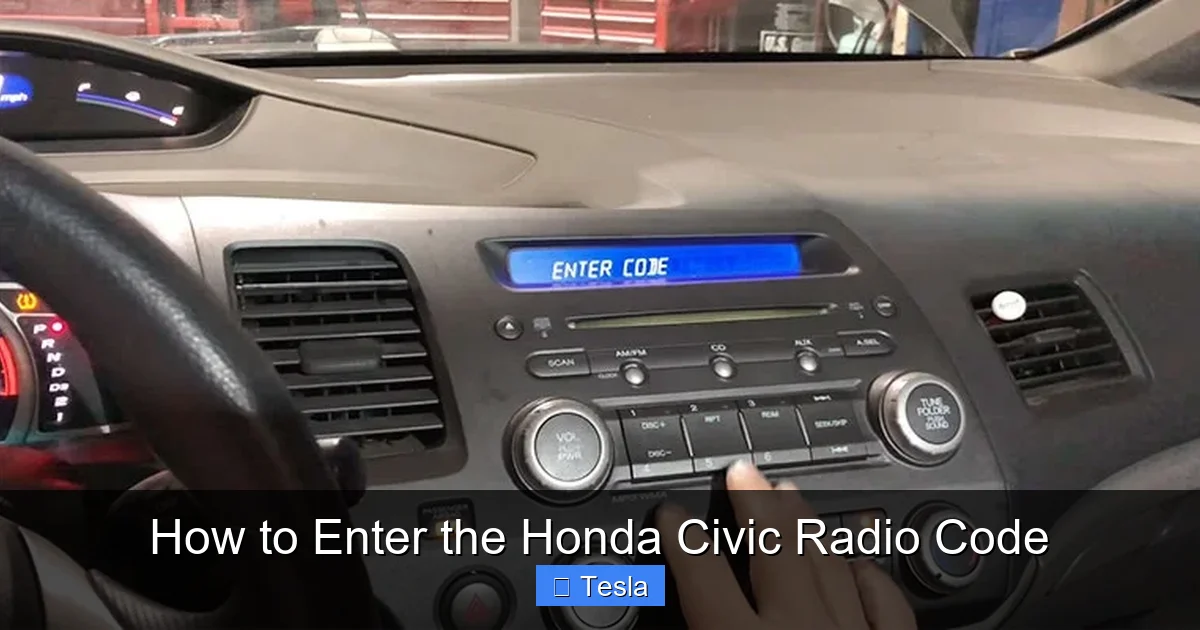
So, you’ve got a Honda Civic. Maybe you just bought it, or maybe the battery died and now your radio screen is flashing that dreaded “CODE” message. It’s like your car suddenly went all disco on you, right? Don’t worry—this isn’t a digital ransom note, just a quirky security feature.
Why does your Honda radio need a code anyway?
Think of it as a secret handshake between you and your car. Honda started doing this in the ‘90s to deter thieves from ripping out your stereo and selling it on the black market. If the radio loses power, it locks up until you enter a unique 4- or 5-digit code. It’s annoying, sure, but also kinda clever—like your car saying, “Hey, prove you’re the owner before I start jamming out.”
But what if you don’t have that code? Maybe the previous owner didn’t leave it, or you lost the little card. Don’t panic. You don’t need to be a hacker or call a locksmith. There are simple ways to get that radio code back without even leaving your driveway.
Must Read
First, check the obvious places (yes, even the glove box).
Most Honda owners accidentally find their code on a white sticker inside the glove box, or on a card in the owner’s manual. It’s often printed on a small plastic card that looks like an old library card. Go ahead, dig through your car’s paperwork—it’s like a treasure hunt, but the prize is just your music back.
No luck? Look at the radio itself. Turn on the car, and you’ll see the word “CODE” flashing. But under that, there’s often a serial number that starts with an “A” or “B” (like “A12345”). Write that down—it’s your golden ticket.
Your secret weapon: the Honda website (yes, it’s free).
Honda has a free online portal called “Radio Code Retrieval” on their owner’s website. Just punch in your VIN (Vehicle Identification Number) and the serial number from the radio. Boom—the site spits out your code in seconds. It’s like when you use “Forgot Password” on an app, but way more satisfying because you get to hear your playlist again.
If you’re not online, call a Honda dealer. Give them your VIN and proof of ownership (like a registration). They’ll usually give you the code for free—though some sneaky dealers might charge a $10-$20 fee. Honestly, it’s worth it just to stop hearing the radio’s robotic silence.
What if none of that works? Enter “Honda Civic radio code generator.”
I know, I know—generators sound sketchy. But there are legitimate online calculators that use the radio’s serial number to derive the code. They’re not magic; they just run the same algorithm Honda uses. Just be careful: some sites want you to install shady software. Stick with well-known forums or owner communities, like the CivicX or Reddit’s r/Honda. These guys are nerds in the best way—they’ve reverse-engineered the code system and post step-by-step guides.
 How to Enter the Honda Civic Radio Code
One tip: never pay for a code on eBay or from a random website. It’s often a scam, and you can get the code legally for almost nothing. Save that cash for a better upgrade, like a new phone mount or a bag of chips.
Entering the code: it’s surprisingly satisfying.
Once you have the code (let’s say it’s 15234), turn the radio on. Press buttons 1, 2, 3, 4 on the radio to input each digit. For example, button 1 for 1, button 5 for 5, etc. Then hold the “CD/AUX” or “AM/FM” button (depending on your model) until the code locks in. If you enter it wrong three times, the radio may lock you out for an hour—so double-check the numbers before hitting confirm.
When the code works, the screen will just show a normal frequency or track number. It’s anti-climactic, but that’s the point. Your radio is back from the dead, like a silent but reliable hero. You did it. You’re now part of the Honda Civc owner club, which means you’ve officially unlocked a secret that only you and your car know.
The coolest part? This code is your car’s personality.
Think about it: your radio’s code is a random string of numbers that only matters to you and your specific car. It’s like a shared inside joke between you and a machine. Every time you hear a song after entering the code, you’ll remember the moment you outsmarted your own stereo. That’s kind of beautiful, right?
So next time your Honda Civic radio says “CODE,” just smile. You’ve got this. Grab your VIN, find that serial number, and whip out your phone—the answer is closer than you think. And if you ever get stuck, just remember: the internet is full of friendly Honda enthusiasts who love solving these little puzzles. Happy listening!